Showing posts with label Most Wanted. Show all posts

Wednesday, February 27, 2013

Most Wanted Top Ten Cydia Apps 2011

212 comments

Most Wanted Top Ten Cydia Apps 2011Most Wanted Top Ten Cydia Apps 2011 As in case of iPhone apps available at the official App Store, some Cydia applications come free of cost, while other can cost you anything starting from US$0.99. In fact, Most Wanted Ten Cydia Apps are costlier than their App Store counterparts. While they do cost you a few bucks, there is no doubt about the fact that it is worth spending for these essential Cydia apps for iPhone (and other devices with iOS as their default operating system.) Given below is a list of Most Wanted Ten Cydia Apps 2011 which you can’t afford to miss out on.

The Top of the Best

We covered your favorite Cydia applications in 2009, then we made some changes for 2010, but finally, in 2011, we refresh everything. New pictures, new descriptions, and new Cydia apps for your perusing pleasure. In 2011, iOS is scheduled to hit the iPad 2, iPhone 5, and next-gen iPod Touch, and for that we have you covered on what jailbreak apps to use. Now's the perfect time to jailbreak with the new GreenPois0n RL5 Beta, so get that iOS 4.2.1 device jailbroken and read on, we've got the Cydia apps you've been craving.

For returning fans, we've removed four apps from our list because of redundancy with the iOS4 update - no longer do you need "Categories" to create folders or "Cycorder" to record video, and the old "Firewall iP" app has been replaced with a more useful Grooveshark app, the same was done to the "SwirlyMMS" app.

Installous

Most Wanted Ten Cydia Apps 2011Installous is a one-of-a-kind app for iPhone and iPad, it provides unparalleled opportunity to download old apps and apps that the real app store wouldn't allow. New for 2011 is a better search engine built into the app that doesn't rely on the old, slow Appulo.us repository of apps (as a matter of fact, Appulo shut its doors not too long ago). On the iPad particularly, multitasking with the Installous app works incredibly well to search, download and find the IPA files that you know and love. The new Installous works off of a surprisingly fast engine on either iPhone or iPad and manages to bring a cohesive "App Store"-like experience to your hacked apps. Installous is definitely one of the best Cydia apps available.

Note: The install process remains the same, you need to add the hackulo.us repository to Cydia. Simply go into Cydia, navigate over to Manage, then click on Sources, and click Edit in the top right hand corner, then Add on the top left corner, once you’ve clicked add, type in “Cydia.hackulo.us” into the http repository screen. Then tap on Add Source and it’ll give you a message about piracy. Click OK on the message and download Installous through this new repo!

Grooveshark
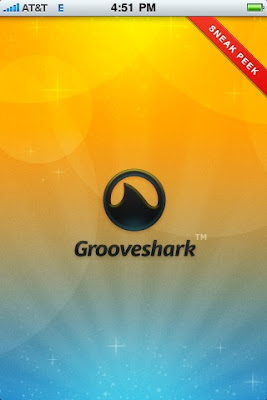
Most Wanted Ten Cydia Apps 2011Grooveshark, need I say more? One of the most popular music streaming sites online brings its wares to the iPhone exclusively through jailbreaking. For those who need a primer on Grooveshark, the online service that's totally free for desktop users brings iTunes-like music search to the cloud. Users upload songs to the web server and then you can search through them for practically any song imaginable, even obscure ones.

When it comes to the mobile service though, it really boils down to how you feel about the $9 monthly fee for using the app. Because of the 3G connection, it's possible to stream any and all songs to the iPhone while you're out on the road. This could mean that you could queue up all the songs you'd normally keep on your iPhone/iPod from the cloud directly to your phone. The subscription is a high price to pay for many, but try it out, see if it works for you, I enjoyed it quite a bit and keep a subscription going for queuing up songs at parties and during long car rides. NOTE: To Install the Grooveshark app, just search in the normal Cydia Repository for "Grooveshark".

XBMC

Most Wanted Ten Cydia Apps 2011After many long years of waiting and anticipation, XBMC finally brought their amazing Media Center app to the iPhone and iPad, and it works quite well. Rather than bringing a skimpy mobile version of XBMC, their dev team decided to bring the full experience to the iOS devices. The app loads in a reasonable amount of time and has all the add-ons and skins found in the original.

On the front end, the app looks great and plays videos like VLC media player would on your iOS device. It's nice to be able to enable scrapers and information for all your movies and TV shows right there on your iPhone/Pad. TV Shows, Movies, Photos, and Music all streaming to your iDevice also work well and attach to your existing network infrastructure.

The install process is rather simple, just follow the instructions posted at this link and you'll be ready to go.

iRealSMS 3.0

Most Wanted Ten Cydia Apps 2011Unlike SwirlyMMS from last years' top ten Cydia apps list, iRealSMS comes with a hefty price tag of around $12, but is worth it when you consider the amount of features iRealSMS brings to the table. Android features come to the iPhone with this update, in particular pictures for contacts on your phone and QuickReply.

Quickly replying to text messages is something that you don't realize you need until you have the app in place and working. No longer will pop-ups intrude your apps only to have you switch back to the texting app in order to respond. But much more than that, iReal provides much needed SMS privacy settings, searching, forwarding, and folders for your texts.

If QuickReply is all you need, however, there is a much cheaper (~$3) app in the store that has solely this feature. This way, you get the best feature of iRealSMS without needing to pay full price for it.

iFile OpenSSH

Most Wanted Ten Cydia Apps 2011OpenSSH is a must have extension for your jailbroken iPhone/iPad that's totally free. It allows you to open an SSH connection to your phone in order to play around with the internal file structure and remove/add files. This allows you to move IPA files around, transfer photos and shuffle any files around through your PC.

If PC connections aren't your cup of tea, iFile for the iPhone/iPad manages to provide the equivalent of Android Root Explorer for the iPhone. If you want to check through your file structure right there on your phone, it's possible to do so with this Cydia app.

Wi-Fi Sync

Most Wanted Ten Cydia Apps 2011Maybe iOS 5 will bring Wi-Fi Syncing to the iPhone and iPad, but until then, this app provides a perfectly reasonable alternative. All it requires is that both your iPhone and PC with Apple installed be on the same network together. Once you have the app downloaded and the required program running on your PC (with either Mac OSX or Windows 7), the software interfaces with your iPhone a single time and pairs it with your PC - much the way a Bluetooth device would be paired with its counterpart.

Once both devices are paired and ready, the software on the PC tricks your computer into thinking your iPhone is hooked up to it via USB. Then it proceeds to sync wirelessly through your network. The retail price for the app is $9.99, which may seem a bit steep, but considering that many of the iPhone users I've met don't ever hook up their iPhones to their PCs, but rather to chargers, this idea of wirelessly syncing your files, photos, videos, and music is something quite extraordinary, that Apple might want to look into in their next iOS update. Total Transparency: I ran the app using my new iPhone 4 and it ran quite well and fast - your mileage may vary when it comes to earlier iOS devices.

Cylay 4.2

Most Wanted Ten Cydia Apps 2011Cylay 4.2 brings together form and function for a powerhouse of an app that is a must-have for older generations of iPhone devices. Where "Find My iPhone" has taken the place of this app on newer gen iPhones (3GS and 4), there is still no acceptable alternative for this functionality on the older iPhones.

Cylay functions as essentially an all-in-one security app to ensure your phone is safe and in your possession at all times. Cylay doesn’t really bring new features to the table, but it is an incredible Cydia app that no one should be walking around without. Finding your phone on their intuitive new website makes retrieving your device easier than ever.

SBSettings

Most Wanted Ten Cydia Apps 2011SBSettings is an essential (and totally free) applications. Right after you jailbreak, after OpenSSH, this should be the second app you download off Cydia. SBSettings overlays a menu that contains the basic functions of the system “options” menus. This overlay menu is easily accessed by swiping the bar at the top of the screen with the time and contains things like Brightness, 3G, Wi-Fi, and other switches to turn things on and off.

Bar none, this app is the most useful thing inside Cydia for your daily use of the phone. Especially being able to control brightness inside ANY application will show you that your jailbreak was not in vain.

MCleaner

Most Wanted Ten Cydia Apps 2011MCleaner is basically the iBlacklist app for the iPhone, but a bit more sophisticated. Unfortunately, unlike last year when a vast majority of the Cydia apps on the store were free, MCleaner too is not free. However, you can give it a 15 day trial and see if it is for you. What it basically does is MCleaner creates blacklists and whitelists of callers that you can decide upon. Then, you can even choose how the phone will ignore a blacklisted caller for instance.

Several other security features make this an incredible app as well, even though it is a bit on the pricey side ($11.99). You can fake data instead of showing the network you typed in a wrong password, SMS previews on the lockscreen can be disabled as well, and even SMS can be filtered to prevent annoying people from contacting you.

3G Unrestrictor
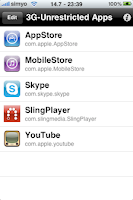
Most Wanted Ten Cydia Apps 2011Other paid Cydia apps are cool to have if you need them, but 3G Unrestrictor is a relatively cheap ($3) app that is vital if you’re ever going to take your iPhone into the “Unlimited” plan you actually purchased it for. In 2009, I advised you to get VOIPover3G, that app has been discontinued and has been replaced by a bevy of 3G restriction-lifting apps. 3G Unrestrictor continues to be the cheapest and best of the best.

What this app does is it enables you to access the 3G network for things the iPhone would normally block by tricking it into thinking that it is operating over Wi-Fi. This means that you can make Skype calls out on the middle of the highway, or watch videos over Slingbox while waiting in the doctor’s office that doesn’t have Wi-Fi. Personally, lifting the 10 Mb limits on the App Store and iTunes respectively is awesome – because now larger podcast downloads are just clicks away. Further information for 3g Unrestrictor you can find it here.

Continue Reading

Wednesday, March 2, 2011

Most Wanted Best Cheapest Tablet 2011 You Should Know

0 comments

Most Wanted Best Cheapest Tablet You Should KnowWhether you are looking for cheap tablet ? This NoteSlate  is well suited for you with price of $99 and will be release in June. Those who want an iPad but can't afford one should check out this cheaper alternative called the NoteSlate. The NoteSlate is The Cheapest Tablet, Priced Only $99 A Piece It's called the NoteSlate, a tablet device which has 13-inch of e-ink screen.

This Noteslate tablet does just one thing and does it very well. It can take notes. That’s pretty much it. Noteslate costs $99 and comes in four different color contrasts. It cannot be used for web-browsing but can be used to read some pdf’s through a firmware upgrade. Noteslate has a 13-inch diagonal low-res display and the battery lasts for 180 hours. The notes taken on Noteslate can be synced to a computer either through Wi-Fi or mini USB.

You may interesting in these posts :


Most Wanted Best Cheapest Tablet You Should Know

Noteslate is dangerously close to becoming a unitasker. For someone who just have to take notes or draw pictures and don’t want to be distracted by the umpteen distractions this generation is famous for then Noteslate could be a choice. But for everyone else who want a bit of everything to do with at tablet, Noteslate might be the one you are looking for. For the simple reason that you cannot browse which happens to be the most basic thing to do on a tablet.

Noteslate might find audience in the student and designer community. For the rest of us, the hunt for the best tablet is still on.

Most Wanted Best Cheapest Tablet You Should Know

We have been using paper notebook for ages now and it’s kind of sad when we have to think how many trees have been sent to their creator in order to create a dozen of paper notebook. But luckily, we can free ourselves from this burden and living a better eco-friendly life by getting this latest NoteSlate tablet, which intended to be a digital version Paper Notebook that require no paper in its operation.

Most Wanted Best Cheapest Tablet You Should Know

As for the features, NoteSlate tablet has included one mini USB port, SD card reader, 3.5mm audio jack, Wi-Fi connectivity, 180 hours long life battery with solar panel, weighs in 240g only and it has come with a dedicated stylus pen.


Simplicity : tablet device, 1-bit display, monochrome, 1 touch
Design : low-technology, back to basics, raw screen, paper alike surface, slick body, paper look and feel
Network: human touch, overwhelmed with technology, optional, just paper page
Ecology : low power consumption, solar accessories, passive mode for displaying static pages… capacity 70.000 pages
Society : culture continuity, technology aspects, communication and imagination
Mission : creativity, humanity, connectivity, open-source, open-hardware, development platform, development countries, open-society monetization, freedom of future communications

The best of all, Noteslate is going to cost you $99 only to own one. More information here.

You may interesting in these posts :

Continue Reading

Monday, February 28, 2011

Most Wanted Windows Phone 7 Series Differences Today

0 comments

Most Wanted Windows Phone 7 Differences TodayWindows Phone 7 is a mobile operating system developed by Microsoft, and is the successor to its Windows Mobile platform. It is aimed at the consumer market Check out for Windows Phone 7 coverage, including up-to-the-minute news about the latest tablet announcements, in-depth reviews, blog posts, and videos at Most Wanted Windows Phone 7 Differences Today.

One question we hear often is: What’s next for Windows Phone? We’re obsessive about listening closely to our customers and improving our phone software. So over the next few months, look for updates that add some new features you’ve asked for and also tune up your phone’s performance. We've got a serious hands on for you to check out, but here is everything that you need to know.

Most Wanted Windows Phone 7 Differences Today

The name—Windows Phone 7 Series—is a mouthful, and unfortunately, the epitome of Microsoft's worst naming instincts, belying the simple fact that it's the most groundbreaking phone since the iPhone. It's the phone Microsoft should've made three years ago. In the same way that the Windows 7 desktop OS was nearly everything people hoped it would be, Windows Phone 7 is almost everything anyone could've dreamed of in a phone, let alone a Microsoft phone. It changes everything. Why? Now that Microsoft has filled in its gaping chasm of suck with a meaningful phone effort, the three most significant companies in desktop computing—Apple, Google and Microsoft—now stand to occupy the same positions in mobile. Phones are officially computers that happen to fit in your pocket.

Windows Phone 7 is also something completely new for Microsoft: A total break from the past. Windows Mobile isn't just dead, the body's been dumped, buried and paved over by a rainbow brick road.

The Interface

It's different. The face of Windows Phone 7 is not a rectangular grid of thumbnail-sized glossy-looking icons, arranged in a pattern of 4x4 or so, like basically every other phone. No, instead, an oversized set of bright, superflat squares fill the screen. The pop of the primary colors and exaggerated flatness produces a kind of cutting-edge crispness that feels both incredibly modern and playful. Text is big, and beautiful. The result is a feat no phone has performed before: Making the iPhone's interface feel staid.

Most Wanted Windows Phone 7 Differences TodayIf you want to know what it feels like, the Zune HD provides a taste: Interface elements that run off the screen; beautiful, oversized text and graphics; flipping, panning, scrolling, zooming from screen to screen; broken hearts. Some people might think it's gratuitous, but I think it feels natural and just…fun. There's an incredible sense of joie de vivre that's just not in any other phone. It makes you wish that this was aesthetic direction all of Microsoft was going in. Another, sorta similar interface, in terms of data presentation, is this Android Slidescreen app, which gives you a bunch of info up top.

Most Wanted Windows Phone 7 Differences Today

Windows Phone 7 is connected in the same sense as Palm's webOS and Android, with live, real-time data seamlessly integrated, though it's even smoother and more natural. Live tiles on the Start screen, which you can totally customize, are updated dynamically with fresh content, like weather, or if you've pinned a person to your Start screen, their latest status updates and photos.

Most Wanted Windows Phone 7 Differences Today

The meat of the phone is organized around a set of hubs: People, Pictures, Games, Music + Video, Marketplace, and Office. They're kind of like uber-applications, in a sense. Massive panoramas with multiple screens that are each kind of like individual apps. People, for instance, isn't just your contacts, but it's also where social networking happens, with a real-time stream of updates pulled in from like Facebook and Windows Live. (No Twitter support announced yet, it appears—a kind of serious deficiency, but one we're sure will be remedied by ship date.)

As another example, Music + Video is essentially the entirety of Zune HD's software, tucked inside of Windows Phone 7. A piece of interface that's shockingly not there: A desktop syncing app. If anyone would be expected to tie their phone to a desktop, you'd think it'd be Microsoft, but they're actually moving forward here. All of your contacts and info sync over the air. The only thing you'll be syncing through your computer is music and videos, which is mercifully done via the Zune desktop client.

Most Wanted Windows Phone 7 Differences Today

Hello, Connected World

The People hub might be the best social networking implementation yet on a phone: It's a single place to see all of your friends' status updates from multiple services in a single stream, and to update your own Facebook and Windows Live status. Needs. Twitter support. Badly. But you have neat things going on, like the aforementioned Live tiles—if you really like someone or want to stalk them hardcore, you can make them a tile on your Start screen, which will update in realtime with whatever they're posting, and pull down their photos from whatever service. There's also your very own profile page, where you can scan your current social state and post updates to multiple services simultaneously.

All of your contacts are synced and backed up over-the-air, Android and webOS style, and can be pulled from multiple sources, like Windows Live, Exchange, etc. Makes certain other phones seem a little antiquated with their out-of-the-box Contacts situation.

Faster apps and games

“Nobody likes to wait. That’s why we’ve whittled down the time it takes for apps and games to start up and resume. It’s all part of our focus on getting you to the things you love, easier and faster.”

Better Marketplace search

“We’ve streamlined Marketplace search to make it easier to find specific apps, games, or music. Press the Search button in the apps or games section of Marketplace and you’ll see only apps or games in the results.”

Holy Crap! The Zune Phone!

Microsoft's vision of Zune is finally clear with Windows Phone 7. It's an app, just like iPod is on the iPhone, though the Zune Marketplace is integrated with it into the music + video hub, not separated into its own little application. It's just like the Zune HD, so you can check out our review of that to see what it's like. But you get third-party stuff like Pandora, too, built-in here. Oh, and worth mentioning, there will be an FM radio in every phone (more on that in a bit).

Most Wanted Windows Phone 7 Differences Today

Pictures is a little different though, and gets its very own hub. That's because it's intensely connected—you can share photos and video with social networks straight from the hub, and via the cloud, they're kept in sync with your PC and web galleries. The latest photos your friends post also show up here. Of course, you get around with multitouch zoom and zip-zip scrolling stuff.

Most Wanted Windows Phone 7 Differences Today

Xbox, on a Phone

I'll admit, I very nearly needed to change my pants when I saw the Xbox tile on the phone for the first time. Obviously, you're not going to be playing Halo 3 on your smartphone (at least not this year), but yes, Xbox Live on a phone! It's tied to your Live profile, and there are achievements and gamer points for the games you can play on your phone, which will be tied to games back on your Xbox 360.

If Microsoft's got an ace-in-hole with Windows Phone 7, it's Xbox Live. Gamers have talked about a portable Xbox for years—this is the most logical way to do it. The N-Gage was ahead of its time. (Okay, and it sucked.) The DS and PSP are the past. The iPhone showed us that the future of mobile gaming was going to be on your phone, and now that just got a lot more interesting. The potential's there, and hopefully the games will be plentiful and awesome enough to meet it.

Most Wanted Windows Phone 7 Differences Today

Browser and Email

Yes, the browser is Internet Explorer. And yes, the rumor's true: It won't be as fast as Mobile Safari. Not to start. But it's not bad! Hey, least it's got multitouch powers right out of the box. Naturally, you've got multiple browser windows, and you can pin web pages to the Start screen, like any other decent mobile browser.

The Outlook email app makes me question how people read email on a BlackBerry. It is stunning. I never thought I'd call a mail app "stunning," but, well, it kind of is. It's the best looking mobile mail app around. Text is huge. Gorgeous. Ultrareadable. Of course, it's got Exchange support too.

Most Wanted Windows Phone 7 Differences Today

Apps, Office and Marketplace

Remember what I said earlier about Windows Mobile being dead? So are all the apps. They won't work on WP7. Sorry Windows Mobile developers, it's for the best. Deep down, we all knew a clean break was the only way Windows Phone wasn't going to suck total balls.

Apps will have some standardized interface elements, like the app bar on the bottom for common commands. But here's a question: Will they multitask? Um, that depends on your definition of multitasking! When we asked Joe Belfiore, the guy running Windows Phone, he alluded to live tiles and feeds as some ofthe ways that third-parties will be able to "bring value to the user, even when their apps aren't running." Which sounds to us like a big ol' "shnope," but we'll see more next month at Microsoft's developer event MIX.

The Marketplace is where you'll buy apps. Since we've got like 6 months 'til Windows Phone 7 launches and people should be excited to develop for it, hopefully there'll be plenty of stuff to buy there on day one.

Most Wanted Windows Phone 7 Differences Today

Naturally, Bing and Bing Maps are built into the phone as the default search and maps services. They're nice, smartly contextual, and very location-oriented. Bing's also used for universal search on the phone, via a dedicated Bing button. (There is no search but Bing search, BTW.) Bing Maps is multitouchable, with pinch-to-zoom. It's rich, with built-in listings with reviews and clever ways of searching for stuff. And yeah, Office! It's connected to that cloud thing, for OTA syncing and such. Business people should be happy.

Hardware and Partner

Another way the old Windows Mobile is dead is how Microsoft's handling partners and hardware situation. With Windows Mobile, a phonemaker handed Microsoft their monies, and Microsoft tossed them a software kit, and that was that. Which is why a lot of Windows Mobile phones felt and ran like crap. And why it took HTC like two years to produce the HD2, the most genuinely usable rendition of Windows Mobile ever.

Microsoft's not building their own phones, but they're going to be picky, to say the least, with Windows Phone 7. Ballmer phrases it as "taking more accountability" for people's experiences. There's a strict set of minimum hardware requirements: a capacitive, multitouchable screen with at least four points of touch; accelerometer; 5-megapixel camera; FM radio; and the like. There are serious benchmarks that have to be met. And only chosen OEMs get to build the phones now, not like before, when anybody with $20 could get a license. The OEMs that Microsoft's announcing they're working with at launch are: Qualcomm, LG, Samsung, Garmin Asus, HTC, HP, Dell, Sony Ericsson, and Toshiba. AT&T's their "premiere partner" in the US (dammit). (Take note people! Premiere does not mean exclusive!)

Every phone will have a Bing (search) button and a Start button. Custom skins, like the minor miracles HTC worked, are now banned. The message to hardware makers is clear: It's a Windows Phone, you're just putting it together. Basically, phonemakers get to decide the shape of the phone, and whether or not there's a keyboard.

One other word on hardware, in a manner of speaking. Hardware it won't work with? Macs. Which is kind of stupid to us—a lot of the people Microsoft wants to use Windows Phone 7, like college students, have been going Mac in droves. You wanna lure them back Microsoft? Let them use your phone with any OS.

Most Wanted Windows Phone 7 Differences Today

The Big Picture

Windows Phone 7 Series is, from what we've seen, exactly what Microsoft's phone should be. It's actually good. It brings together a bunch of different Microsoft services—Zune, Xbox, Bing—in a way that actually makes sense and just works. But there's a real, lingering question: Are they too late? The first Windows Phone 7 Series…phone—goddamn that is a stupid name—won't hit until the end of this year. That's more than three years after the iPhone, two years after Android, hell, even a year after Palm, the industry's sickly but persistent dwarf.

Most Wanted Windows Phone 7 Differences Today

History is on Microsoft's side here—we know what happened the last time Apple had a massive head start. (Update: To be clear, in computing.) Microsoft is, if nothing else, incredibly patient. Remember the first Xbox? Back when it was crazy that Microsoft was getting into videogames? It's cost them about a billion dollars and taken nearly 10 years, but now, with Xbox Live, Project Natal and their massive software ecosystem, they arguably have the most impressive gaming console you can buy. That was a pet project. Now, mobile is the future of computing. What do you think Microsoft will sink into that?

The mobile picture is now officially a three-way dance: Apple, Google, and Microsoft. The same people who dominate desktop computing. Everybody else is screwed. Former Palm CEO Ed Colligan famously said a few years ago: "PC guys are not going to just figure this out. They're not going to just walk in." That's precisely what's just happened. Phones are the new PCs. PC guys are the new phone guys.

This action is pretty logical: Microsoft employees want Windows Phone 7 to succeed than the average outside developer, and so allowing employees to gain financially through their app development efforts is a big incentive to come up with interesting app ideas Windows Mobile for the next generation dubbed Windows Phone 7 Series upon its launch at MWC.

Continue Reading

Sunday, February 27, 2011

Most Wanted Smartphone 2011 By Platform

0 comments

Most Wanted Smartphone 2011 By PlatformWith so many choices of mobile phones, each with similar and yet intriguingly different “operating systems” on offer, which are the key phones, to look out for, on each platform? Here is my take on what’s a good bet for Apple, webOS, BlackBerry, Windows Phone 7, Android, and Symbian operating systems based on what is around at the moment. The most important thing about your next phone isn't what carrier it's on, how big the screen is, or even who makes it. So here are Most Wanted Smartphone 2011 on every platform.

Apple

Most Wanted Smartphone 2011 on Every Platform

There isn’t a lot of choice when it comes to Apple operating systems so the iPhone 4 is the obvious current bet. The iPhone 4 features one of the highest resolution screens currently available on a smartphone, at 960×640, and it manages to fit it into a 3.5” display. The on-board camera can record HD video at 720P with it’s 5 megapixel camera. There are a couple of internal storage items (16GB and 32GB).

However, you might want to hold off until there is news of the iPhone 5. There has been a whisper that news is due in March 2011 (but don’t hold me to it!), Source: Sky News:  iPhone 5 To Be Revealed 2 March. However, from that article the image associated with that particular announcement looks more like an iPad announcement.

What others say: Engadget: iPhone 4 review, “We’re not going to beat around the bush — in our approximation, the iPhone 4 is the best smartphone on the market right now”.

webOS

Most Wanted Smartphone 2011 on Every Platform

Recently picked up by HP the Palm is another one with not a lot of choice which is a shame as it has a great operating system. The current Palm Pre features a 3.1” screen with a resolution of just 320×480. The camera is a 3 megapixel and storage is 8GB. However, the Pre does have a slide out mini keyboard in its favour.

So, the Palm Pre is the one to watch – but you might consider holding off until the recently announced Palm Pre 3, featuring an all new version of webOS, is launched.

What I said: Initial thoughts on the Palm Pre, “The Pre is functional yet lacks that real WOW factor, my theory is that is probably because the App Catalog is so bereft of diverse applications – perhaps the firmware upgrade to 1.2 will open a new world for the Pre?”.

What others say: IT Pro: Palm Pre Review, “It’s slicker than using Symbian, arguably more pocketable than its top rivals the HTC Hero and iPhone and a valuable and valid alternative to the ever-expanding sea of Android phones we seem to be pelted with on a weekly basis these days”.

BlackBerry

Most Wanted Smartphone 2011 on Every Platform

The BlackBerry Torch 9800 boasts the latest revision of RIM’s operating system.  The Torch 9800 features a 3.2” screen (3.18” diagonally) with 480×360 pixels, similar to the Palm Pre. Talking of similarities to the Pre the Torch also boasts a slide-out mini keyboard. The onboard camera is 5 megapixel and storage is made up of 4GB inboard storage and a 4GB media card.

With the latest developments in the operating system the traditionally enterprise-centric BlackBerry range are starting to shine and could be one to watch.

What I said: A Look At The BlackBerry Torch 9800, “Overall the BlackBerry Torch 9800 is an attractive phone that is packed full of features. A little streamlining may be required on the user interface but all in all its a big step in the right direction.”.

What others say: CNET: BlackBerry Torch 9800 review, “There’s not much that the BlackBerry Torch 9800 can’t do, but it doesn’t make it easy. Pricey, chunky, and packed with features, this is a smart phone whose function beats form — and fun.”.

Windows Phone 7

Most Wanted Smartphone 2011 on Every Platform

There are a number of handsets on offer running the all new Windows Phone 7 (and with the recent partnership with Nokia there are likely to be even more).

NOTE! The Phone 7 operating system is in the early part of its lifecycle so be ready for a few teething problems.

However, at the moment the HTC HD7 is well worth a look. Sporting a 4.3” screen with a resolution of 480 x 800 and a 5 megapixel camera on board the HTC HD7 can record 720P HD Video. This is backed up with a 1 GHz processor and 16GB  of internal storage.

What others say: Tech Radar: HTC HD7 review, “We like the HTC HD7 as a phone – it builds nicely on the HD2 without being a complete revamp.The Windows Phone 7 experience is ace on it, and simply just works, which is all we’re really looking for at this early stage.”.

Android

Most Wanted Smartphone 2011 on Every Platform

Whilst other manufacturers like to fiddle with the operating system, adding layers of “functionality” here and there, the Google Nexus S keeps to the essential nature of the Android operating system and features a nifty Super AMOLED screen.

Other features of the Google Nexus S include a 4” screen with a resolution of 480×800. There are two cameras available, a front-facing VGA camera and a 5 megapixel camera. The processor is 1GHz and storage is 16GB.

What others say: Pocket-Lint: Google Nexus S review, “Some say that Android is still too raw as a consumer operating system, but we have to disagree. Android in its naked form is slick, fast and powerful; it is refreshing to come back to the basic underlying OS and get away from all the additional layers that manufacturers plaster on top.”.

Symbian

Most Wanted Smartphone 2011 on Every Platform

Symbian, unfortunately, is starting to feel the pressure against more modern mobile operating systems however the Nokia N8 is a great phone with some excellent video recording and it features the latest Symbian ^3 for Nokia.

The Nokia N8 features the most impressive camera in this list offering a 12 megapixel (and it has a secondary VGA camera for video calls) whilst the 3.5” screen has a 16:9 nHD resolution of 640×360 AMOLED pixels. Standard storage is 16GB.

What others say: What Mobile: Nokia N8 Review, “HD video, a 12-megapixel camera, a great display, good battery life, loads of connectivity options and a great design. As long as you can accept minimal apps and games, the N8 is great.”

Continue Reading

Most Wanted Smartphone Mobile App Stores

0 comments

Most Wanted Smartphone Mobile App StoresDiscuss ‘bout Smartphone Mobile App Stores, it's been less than a year since Apple launched the iPhone App Store, but now virtually every mobile OS is showcasing its own take on the mobile application storefront. How do they all stack up? Here the top list of Most Wanted Smartphone Mobile App Stores.

The first thing you'll notice about these efforts—coming from such traditionally competitive companies as Palm, BlackBerry, Nokia and Microsoft—is just how similar they all sound. App World? App Catalog? App Market? Mobile Marketplace? This outward likeness actually runs pretty deep—these stores are advertising uncannily similar feature sets, for both users and developers:

Most Wanted Smartphone Mobile App Stores

Although it might not evident in the feature-by-feature breakdown above, there are two distinct kinds of app store: The primary store, which is the first and only source of an OS's apps (see Apple), and the secondary store, which is built around an existing stock of third-party apps, and with preexisting developers in mind (see BlackBerry, Microsoft, and Nokia). It's a combination of these different lineages and divergent policy choices that make the smartphone app store experience so varied.

Most Wanted Smartphone Mobile App StoresApple's iPhone App Store
At least for now, the App Store is the standard by which all others are judged. Beyond that, it's given us a rough guide for what works. With a $99 dollar developer's fee and a novice-friendly SDK, the barriers of entry for an iPhone developer are fairly low. Distribution, payments and to a large extent marketing are managed by iTunes, which iPhone owners are necessarily familiar and comfortable with.

And, of course, there's the iPhone: This store may only serve one handset (and its very similar nonphone brother), but it's a wildly popular one. This makes the app store uniquely attractive to developers, because it provides access to the largest uniform app-buying market in the world. Microsoft can argue that Windows Mobile 6.5 will connect developers to x gajillion different customers through y zillion different handsets, but this variety is a curse: Handsets have different resolutions, processors, 3D hardware, input types and basic feature sets. A motion-sensing 3D game with a GPS social networking feature won't work on a lot of WinMo handsets, but a 2D, keypad-controlled Asteroids clone won't make a developer rich.

But the App Store is far from perfect. Apple, like all App Store owners, has the final say in what gets listed, delisted or banned, and they aren't afraid to remind us of this. Along with the typical risque/racist/infringing content prohibitions, Apple enforces strict and often limiting rules against apps that compete with the iPhone's native set—iTunes, Mail.app, Safari to name a few—and apps that their partnered carriers aren't too fond of, i.e video streaming and tethering apps. Now, all these rules are showing signs of loosening with OS 3.0, but as long as the App Store is the sole source of iPhone apps, any rules will seem like too many rules—especially if you're accustomed to a totally unregulated system like Windows Mobile 6.1's. Hence, the gray market.

Most Wanted Smartphone Mobile App StoresAndroid App Market
This second major entrant into the app store race represents a consciously different approach than Apple, but not in that many ways. Immediately, we see a lot to compare: A single-handset userbase (at least for now), low costs for developers and a presence as the primary—though not sole—source of apps from Day One.

But the App Market is a different breed than the App Store. Most importantly, it's not the only place you can get apps. Google has been much more lenient about what they allow in their store since the beginning but in the rare case that they don't approve of an app, as in the case of tethering apps earlier this month, you can just go download an .APK file and sideload it onto your G1 anyway. This is a healthy middle ground for everyone involved; Google doesn't alienate users by destroying entire categories of apps, but isn't forced to come into conflict with carriers because of overly liberal policies. Google has also made their Market more friendly to consumers, with a no-questions 24-hour return policy.

Great! Then why is the App Market so underwhelming? Well, the G1 wasn't exactly a runaway hit, and the store got off to a slow start. Paid apps weren't made available for months after launch, and when they arrived they didn't benefit from the convenience and familiarity of a storefront like iTunes. Moreover, there's no guarantee that things will change that much in the coming months—more handsets from more manufacturers will boost Android's user numbers, but will lead to the WinMo-style toxic fragmentation that Apple so adamantly avoids.

Most Wanted Smartphone Mobile App StoresBlackBerry App World
Matt took a dive into the newest mobile app store, and found it agreeable, but not spectacular. RIM's is the beginning of this "secondary" app store concept, and it shows: You'll be hard-pressed to find anything here that wasn't previously available elsewhere. It is simply an aggregator for existing applications.

This was a given, as developers have been cranking out BlackBerry apps for years now. But App World was a great opportunity for RIM to give the lethargic dev community a shot in the arm. Instead of doing that, they've made the store almost hostile to would-be app writers.

Listing your wares in App World costs a hefty $200, which gives you the right to upload 10 apps, but doesn't come with any new SDKs or development tools. The payment system is Paypal, which is clumsy to use and a pain to set up. A minimum non-free price tier of $2.99, probably intended to filter out spammy apps and cover Paypal's transaction fees, discourages developers from even trying to make simple, useful apps, eliminating the $.99-to-$1.99 sweet spot that has been central to Apple's success. App World feels like an afterthought, and a reluctant one. UPDATE: It should be noted that the 70% dev revenue share figure in the chart is incorrect, and has been update to 80%—a marked advantage over the other stores.

Most Wanted Smartphone Mobile App StoresWindows Mobile Marketplace
With Windows Mobile 6.5, Microsoft will introduce the Windows Mobile Marketplace. So far, their announcements have shown an awareness of the pitfalls of both Apple's and RIM's approaches: They're emphasizing non-exclusivity and app approval transparency, a 24-hour return policy and wide device support, but also making sure to get big-name app and game developers on board to ensure that users actually have something new to look forward to at launch.

On the developer side, it's a mixed bag. As in every other store, the dev take-home is 70% of each sale, but the listing fees aren't great. $99 gets you five apps a year, but anything beyond that will cost an additional $99. I'm sure this will help vaccinate the Marketplace against the fart app epidemic that Apple has proven so prone to, but it'll do so at the expense of potentially useful free and $0.99 apps—again, a crucial price range. One important factor that's still TBD is the payment system. Microsoft says they'll support both credit card payments and carrier charges, but hasn't yet said how that'll look. In both cases the process will need to be as seamless as possible.

Most Wanted Smartphone Mobile App StoresNokia Ovi Store
You probably haven't heard much about this store, set to debut within a month, but it's kind of a big deal for the 40m+ Symbian S40 and S60 users that it'll serve apps to. It's planned to shoehorn into Nokia's new Ovi app suite, which we were introduced to with the XpressMusic 5800, and provide a go-to source for not just apps, but ringtones, wallpapers, and basically everything else that you might have found in a 2001 vintage carrier WAP store.

There has been a decided lack of fanfare surrounding this launch, probably because there just aren't that many Nokia smartphones in the US. But its success or failure will be informative: It will be the most open of all the app stores. For the time being, there is no developer fee, and app listings are free and unlimited. You can easily publish tons of different kinds of content—Flash Lite apps, Java apps, Native S60 apps, multimedia uploads and others—which will be subject to a vetting process that Nokia has assured will be minimal. As Nokia-averse Americans, we can view the Ovi Store as an experiment in laissez-faire app-mongering—a multi-handset, mixed-media, unfiltered feed of Symbian content.

Most Wanted Smartphone Mobile App StoresPalm App Catalog
And finally, we have Palm's App catalog. This is the store we know the least about, but that is already set for a different course than all the others. At launch, the only handset it'll serve will be the Pre—though Palm has indicated that other WebOS handsets are inevitable. It'll be the first—and likely exclusive—source of WebOS apps, and developers will be furnished with a solid, though fundamentally limited, SDK.

Palm's still-vague plan for the App Catalog will no doubt be central to the success or failure of the Pre, but we can make an educated guess at what to expect, assuming that Palm doesn't get taken over by idiots in the next couple months: Palm will vet the apps thoroughly, provide an in-house payment system, and make development simple and cheap (previewed Mojo SDK apps have shown great promise). The end result will probably look something like the iPhone App Store, but with one huge difference: there will be no local natively running apps—the Mojo SDK doesn't provide for that, just for what amount to turbocharged, locally-stored web apps. Granted, these web apps will have privileged access to some of WebOS's core functions, but it's doubtful that high-end gaming, as we've seen on the iPhone, will even be possible on the platform. These limitations (along with WebOS's multitasking advantages) will affect the nature and quality of the apps that are listed in the store much more than the Catalog's policies, though exactly how, we'll have to wait and see.

Continue Reading

Saturday, February 26, 2011

Most Unique Gadgets Of The World

0 comments

Most Unique Gadgets Of The World We’ve already discovered why foreign countries outpace the U.S. when it comes to high-tech cars, robots, gaming devices, and everything-but-the-kitchen-sink mobile phones, but there’s plenty more electronic wizardry that couldn’t quite fit in the first list. And you won’t find any of it down at the local mall. Granted, you can always turn to the Internet and one of the many overseas sites that market foreign goods if you really have a hankering for any of these items and don’t have an issue with long-distance ordering, long-distance shipping, and potential warranty hassles. But for the most part, it’s look but don’t touch.

1.Miharu Home Care Camera

Most Unique Gadgets Of The WorldTiny cameras that sneak into tiny places are currently all the rage overseas, and Miharu’s dental-oriented device is one of the pack leaders. Though it looks like a highly sophisticated toothbrush, the unit features a tiny video camera and an LED light, through which you can film in places that don’t normally see the light of day – like the back of your mouth, the back of your refrigerator, or that little crack between the floorboards. Send the video to your big screen TV for maximum impact.

2.Hitachi Rotary RazaqMost Unique Gadgets Of The WorldIts curvy esthetics will certainly appeal to the style conscious, but the Rotary Razaq is designed for performance, too. With a 3500-RPM motor, omni-directional, washable blades, and a handle that manual razor junkies will love, Hitachi’s little shaving marvel may just be the ideal whisker remover.

3.LG GD910 Watch Phone and Samsung S9110 Watch PhoneMost Unique Gadgets Of The WorldKorea will pay the ultimate homage to Dick Tracy this year as two of its preeminent electronics manufacturers duke it out for supremacy in the oh-so-pricey world of watch phones. Due to land in France any day now, the Samsung S9110 is said to be the slimmest watch phone ever released, featuring a 1.76-inch touch screen and such niceties as Bluetooth, voice recognition, MP3 player capabilities, a speakerphone, and e-mail functionality. Sporting similar specs but a slightly thicker profile, and a higher MSRP, LG’s GD910 will also pack 3G video call capabilities and 2GB of internal memory (versus just 40MB in the S9110) when it arrives in France at just about the same time.

4.Sanyo Eneloop Portable Solar Panel

Most Unique Gadgets Of The WorldSanyo’s Eneloop rechargeable batteries have been the Holy Grail for serious battery users for some time now, so it comes as no surprise that one of the first seemingly reputable, fully functional portable solar panels is part and parcel of the Eneloop brand. Just now available in Japan, the Eneloop Portable Solar Panel will power gadgets such as MP3 players, handheld gaming devices, mobile phones, cameras, and even some laptops, and look pretty good doing it.

5.Soladey 3Most Unique Gadgets Of The WorldThe latest iteration of a toothpaste-free toothbrush that’s already convinced millions – yes, millions – of Japanese to take the plunge, the Soladey 3 is an oral cleansing tool with a very unique ionic twist. Unlike traditional toothbrushes, the unit is equipped with a solar panel that absorbs light and purportedly transmits electrons via a titanium oxide semiconductor to make plaque unstable and easily removable. Word on the street is that the Soladey concept actually works. Can millions of Japanese toothbrushers be wrong? Can you imagine a life without toothpaste?

6.Sega Homestar Pro 2nd Edition Home PlanetariumMost Unique Gadgets Of The WorldWhat if you could get that way-cool planetarium experience in the comfort of your own living room? With Sega’s Homestar Pro Planetarium, you can do just that. The system – essentially a spiffy spherical projector equipped with a variety of night sky “discs” – sets up easily and apparently fills any room with more stars than you can shake a constellation at. Though Sega says the unit is a great introduction to astronomy, we wonder if there could there be a more relaxing, calming sleep aid.

7.I-O Data SEG Clip

Most Unique Gadgets Of The WorldThe SEG Clip is a USB stick and antenna that plugs into a PC and receives over-the-air television programming (via Japan’s free-to-air mobile TV service, dubbed 1Seg). While that may not be particularly remarkable, the fact that users can then download a TVPlayer App and wirelessly watch whatever they’ve recorded on their iPod or iphone is. You’d never need, or even be able to use one of these gadgets here in the States, but when in Japan…

8.Japanese ToiletsMost Unique Gadgets Of The WorldYes, we fully realize this is a consumer tech site. Nevertheless, no discussion of cool overseas devices would be complete without a mention of the venerable toilet. The sad truth is that we’re so far behind (excuse the pun) in the toilet business that we never be able to catch up. In Japan, you can rest your derriere upon a seat that warms and massages you. You can turf the toilet paper and instead cleanse thyself with warm water. You can crank the MP3 tunes with your detachable remote, and you can rest easy knowing you’re perched in a germ-resistant environment. You can even purify the air afterward. That such luxuries cannot be found easily here in North America is nothing short of an abomination, and we offer up this pic of a little Japanese girl staring in amazement at her automatic toilet seat as proof.

Continue Reading


Copyright 2010 All Rights Reserved | Super Template by Ilmu Komputer | Modified by Ilmu Grafis | Original Wordpress theme by Ahli Desain